Aston Martin DB7, DB9, DBS, Vantage V8, Vanquish, and Classic models

Programming garage door opener

Thread Tools
 
Rate Thread
 
Old Sep 9, 2011 | 10:38 PM
  #1  
alan.'s Avatar
Thread Starter
|
Registered User
Joined: Sep 2011
Posts: 15
Rep Power: 0
alan. is infamous around these parts
Programming garage door opener

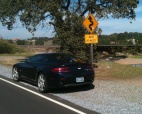
Hi all first post here and proud new owner of a 2008 Vantage V8 coupe

But unfortunately it doesn't come with the owner's manual and would anyone here be kind enough to tell me how to program the garage door opener? Thanks in advance.
 
Old Sep 10, 2011 | 03:27 PM
  #2  
dicktahoe's Avatar
Registered User
Joined: Aug 2010
Posts: 599
From: Incline Village, NV
Rep Power: 43
dicktahoe is a glorious beacon of lightdicktahoe is a glorious beacon of lightdicktahoe is a glorious beacon of lightdicktahoe is a glorious beacon of lightdicktahoe is a glorious beacon of light
Originally Posted by alan.
Hi all first post here and proud new owner of a 2008 Vantage V8 coupe

But unfortunately it doesn't come with the owner's manual and would anyone here be kind enough to tell me how to program the garage door opener? Thanks in advance.
Here it is right from the MY08 V8V Manual: Step1 erases all programming. It only requires completing if programming the Homelink for the first time or when erasing all existing programming. It does not have to be followed to program the other HomeLink buttons. The HomeLink buttons can be reprogrammed individually but not individually erased. Step 1 must be completed to erase all programming.

1. Press and hold the two outer HomeLink buttons, releasing only when the HomeLink LED begins to flash after 20 seconds. All three buttons are now cleared. The HomeLink system is now in the setting mode.

2. Hold the original remote control of the device to be programmed at a distance of 10-30cm away from the HomeLink transmitter unit(at the rear-view mirror) keeping the LED in view all the time.

3. Using both hands, simultaneously push the remote control button and the desired HomeLink button (1, 2 or 3).

4. The LED will flash, first slowly and then rapidly. When the LED flashes rapidly, release both buttons. The rapid flashing light indicates successful programming of the new frequency signal.
 
Old Sep 10, 2011 | 03:48 PM
  #3  
Racer_X's Avatar
Registered User
Joined: Jun 2010
Posts: 2,266
From: whereabouts unknown
Rep Power: 120
Racer_X has much to be proud ofRacer_X has much to be proud ofRacer_X has much to be proud ofRacer_X has much to be proud ofRacer_X has much to be proud ofRacer_X has much to be proud ofRacer_X has much to be proud ofRacer_X has much to be proud ofRacer_X has much to be proud ofRacer_X has much to be proud of
Congrats and welcome!
 
Old Sep 10, 2011 | 10:39 PM
  #4  
alan.'s Avatar
Thread Starter
|
Registered User
Joined: Sep 2011
Posts: 15
Rep Power: 0
alan. is infamous around these parts
Appreciated guys. Just got it programmed and works like a charm.

This car is so awesome!!!
 
Related Topics
Thread
Thread Starter
Forum
Replies
Last Post
RallyBird
Automobiles For Sale
5
Oct 7, 2015 01:20 PM
Michael_s
991 Turbo
12
Sep 11, 2015 08:03 PM
riverflyer
Automobiles For Sale
2
Sep 1, 2015 04:22 PM
I'mAllIn
Automotive Parts & Accessories For Sale/Wanted
1
Aug 25, 2015 09:44 AM


You have already rated this thread Rating: Thread Rating: 0 votes,  average.


All times are GMT -6. The time now is 01:25 AM.