


Yellow fault warning: Steering Assistance


Thread Starter
|
Registered User
Joined: May 2004
Posts: 392
From: Davie, FL
Rep Power: 38

Yellow fault warning: Steering Assistance
So frustrated - spent so much time trying to get my HomeLink programmed, that the battery discharged enough to not start the car. I have had similar issues with certain cars in the past and my Chamberlain openers. Most cars take in under 60 seconds, a few have literally taken hours.
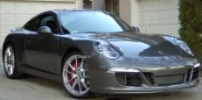
Anyway - next thing I know is my beautiful new 991 Carrera S with 200 miles on the odo now has a yellow warning: FAULT: Steering Assistance.
Battery is now charged, but the fault remains. Any ideas on how to clear this w/o a trip to the dealer? Any info would be greatly appreciated. I thought about disconnecting the battery, but I don't want to make things worse so I am awaiting some advice. TIA!
Anyway - next thing I know is my beautiful new 991 Carrera S with 200 miles on the odo now has a yellow warning: FAULT: Steering Assistance.
Battery is now charged, but the fault remains. Any ideas on how to clear this w/o a trip to the dealer? Any info would be greatly appreciated. I thought about disconnecting the battery, but I don't want to make things worse so I am awaiting some advice. TIA!




Thread Starter
|
Registered User
Joined: May 2004
Posts: 392
From: Davie, FL
Rep Power: 38
Really appreciate the input. If I were to disconnect the battery, what (if anything) happens to things like the "entry and drive" keyless system? Will it still work, or is some kind of setup needed? What other systems are affected by disconnecting the battery? Just trying to avoid fixing one thing and screwing up many others. Nothing sucks more than an issue with a brand new car. Thanks so much for the help.
Thread Starter
|
Registered User
Joined: May 2004
Posts: 392
From: Davie, FL
Rep Power: 38
Did some checking around. Does anyone know if the 991 radio has an anti-theft code? Before I pull the trigger on disconnecting the battery, I'm trying to find this out. If there is one, where would I find it?

Registered User
Joined: Sep 2013
Posts: 256
From: Canada
Rep Power: 23
I could not believe you spend hours programming the remote. I just put the clicker in the car after trying for 15 minutes!
I also don't like the fact that the home link does not work if car is turned off.
Trending Topics
Thread Starter
|
Registered User
Joined: May 2004
Posts: 392
From: Davie, FL
Rep Power: 38
I know, it's the perfectionist in me combined with refusal to not be able to do something that caused me to spend a totally ridiculous amount of time on the HomeLink. It's really crazy that a car with HomeLink has to have a garage door remote on the visor.
Appreciate the info on the radio code. Here goes...
Appreciate the info on the radio code. Here goes...
Registered User
Joined: May 2010
Posts: 2,806
From: Dallas
Rep Power: 177

Before you disconnect the battery I would try cycling the steering all the way to the left then right for about 5 cycles. Then check to see if the that fault indication clears it when you drive for a few miles. Also check to ensure the steering wheel is not ****ed off to one side when driving straight.
ChuckJ
ChuckJ

Thread Starter
|
Registered User
Joined: May 2004
Posts: 392
From: Davie, FL
Rep Power: 38
Problem solved. I ended up disconnecting the battery prior to seeing the two posts above. The battery disco did nothing. After starting the car, the fault remained. I then took ChuckJ's advice and turned the wheel all the way back and forth a few times and the fault cleared while I was still turning the wheel. Very much appreciated!!! Thanks to all for the help and suggestions.
Registered User
Joined: May 2010
Posts: 2,806
From: Dallas
Rep Power: 177
Problem solved. I ended up disconnecting the battery prior to seeing the two posts above. The battery disco did nothing. After starting the car, the fault remained. I then took ChuckJ's advice and turned the wheel all the way back and forth a few times and the fault cleared while I was still turning the wheel. Very much appreciated!!! Thanks to all for the help and suggestions.
ChuckJ
Registered User
Joined: Sep 2013
Posts: 256
From: Canada
Rep Power: 23
I know, it's the perfectionist in me combined with refusal to not be able to do something that caused me to spend a totally ridiculous amount of time on the HomeLink. It's really crazy that a car with HomeLink has to have a garage door remote on the visor.
Appreciate the info on the radio code. Here goes...
Appreciate the info on the radio code. Here goes...
So, do you just keep on repeating the programming steps until it works?

Registered User

Joined: Dec 2012
Posts: 1,499
From: New York
Rep Power: 93
I had hard time configuring door opener too. I tried for a while with Porsche's directions (pointing your clicker at the nose of the car), but that never worked. See if this works for you.
• Press Learn button on overhead opener in your garage. Learn light should blink.
• Press Home Link button in car within 30 seconds. Be sure to clear memory first according to instructions (pressing 1st and 3rd button simultaneously, I think)
• Overhead Learn light in garage should be steady.
• If steady, press Home Link button in car again. Learn light on overhead should go out.
• Repeat 2 more times and then test.
The process above worked for me. Hopefully it will work for you.
• Press Learn button on overhead opener in your garage. Learn light should blink.
• Press Home Link button in car within 30 seconds. Be sure to clear memory first according to instructions (pressing 1st and 3rd button simultaneously, I think)
• Overhead Learn light in garage should be steady.
• If steady, press Home Link button in car again. Learn light on overhead should go out.
• Repeat 2 more times and then test.
The process above worked for me. Hopefully it will work for you.