


IPHONE + VIDEO INPUT on my PCM 2.1 for $90 - OH YEAH !!!! Lots of pics of the install


Registered User

Joined: Jan 2007
Posts: 3,443
From: Northeast
Rep Power: 185


 I was hoping, "Yes, you can output an audio," answer. Nonetheless, what a great DIY thread!
How long will it take to do reverse camera installation? Is it hooked up so that the video automatically turns on to the camera in a reverse gear?
Using a similar methodology, any plans/tips for audio? I have to guess audio input/out is much simpler than all these but just wondering.

Thread Starter
|
Registered User
Joined: Mar 2009
Posts: 927
From: NJ
Rep Power: 70
I was hoping, "Yes, you can output an audio," answer. Nonetheless, what a great DIY thread!How long will it take to do reverse camera installation? Is it hooked up so that the video automatically turns on to the camera in a reverse gear?
Using a similar methodology, any plans/tips for audio? I have to guess audio input/out is much simpler than all these but just wondering.
Once the box is installed hooking up audio and video is a piece of cake - its just RCA cables. Concerning a backup camera, It took me 4 hours to install the camera which breaks down like this:
30 minutes - connecting an RCA cable and shoving it under al the side plastic panels until you get to the hatch area.
1:30 hours - removing the c pillar panel, rear wheel well panel, the upper panel that holds the backup radar LED indicators, the black plastic cover in the edge of the hatch.
15 minutes - trying to figure out how the F you got the wire to the back so fast yet are so clueless as to how to run it the last 2 feet.
30 minutes - to put everything back together.
15 minutes - shaking your head in disgust wondering why you just did not use a wireless camera.
. . . and while I am on it, there is no dam power in the back hatch !! The only power I could find was the plate and interior cargo bay lights which is NG unless you want to turn on your lights when you back up.
Concerning getting the camera to flip on when you are in reverse, I am clueless. I could not find the reverse wire up front and I have asked around an no one knows. Obviously it exists, but its definitely the bigfoot of wires.
If anyone knows which wire drives the backup lights, please, please, please, let me know ( An no... its not "the green one").
Thread Starter
|
Registered User
Joined: Mar 2009
Posts: 927
From: NJ
Rep Power: 70
Hey roxboxxx,
I went on the path to install the similar video input device according to your post and pictures. Everything was put together and turn on. There is red led to show that the box (which I inserted below the PCM like you) was turn on.
However, I did not managed to get any video on my PCM screen. I tried pressing every single button on the PCM but did not managed to get the video input screen. Am I missing something? The rest of the PCM works normal.
Appreciate any help. Thamks
I went on the path to install the similar video input device according to your post and pictures. Everything was put together and turn on. There is red led to show that the box (which I inserted below the PCM like you) was turn on.
However, I did not managed to get any video on my PCM screen. I tried pressing every single button on the PCM but did not managed to get the video input screen. Am I missing something? The rest of the PCM works normal.
Appreciate any help. Thamks

One last thing, if the video is weird, you might be in PAL mode. The remote has one button that toggles this. Again, its a weird remote and not labeled well - but it works once you learn what buttons to push.

Registered User
Joined: Sep 2007
Posts: 671
From: Clarksville, MD
Rep Power: 49
Please let us know which brand FR modulator you have bought.
So to use this unit, you have to tune the fm radio to the right frequency,
Turn the unit on with the remote,
Use the source button to toggle to the tvout system,
And enjoy?
Do you have any concern about the "sound" quality of that particular fr modulator?
So to use this unit, you have to tune the fm radio to the right frequency,
Turn the unit on with the remote,
Use the source button to toggle to the tvout system,
And enjoy?
Do you have any concern about the "sound" quality of that particular fr modulator?
Thread Starter
|
Registered User
Joined: Mar 2009
Posts: 927
From: NJ
Rep Power: 70
If I recall, I used a clarion RF modulator I bought from amazon. It had great ratings and man does it block RF!
Concerning your other questions, yes, to pipe audio to the head unit, you auto tune the frequency and then anything fed to the box will output to the speakers. With a good rf modulator like I have, its VERY clear as its an inline unit that actually severs the antenna connection when you flip the power switch (yes, the adapter I have has a power switch). The dynamic highes and lows are not as good as if you were directly injected into the PCM stream, but good enough for sure. You need a pair of antenna adapters to use any of the RF modulators as porsche uses the funky audi antenna connectors.
Also - this was the other RF modulator I considered. You want one that "Cuts" the antenna off when its on.
Here are the antena adapters I mentioned: http://www.ebay.com/itm/Porsche-Ante...ht_4127wt_1165
Concerning your other questions, yes, to pipe audio to the head unit, you auto tune the frequency and then anything fed to the box will output to the speakers. With a good rf modulator like I have, its VERY clear as its an inline unit that actually severs the antenna connection when you flip the power switch (yes, the adapter I have has a power switch). The dynamic highes and lows are not as good as if you were directly injected into the PCM stream, but good enough for sure. You need a pair of antenna adapters to use any of the RF modulators as porsche uses the funky audi antenna connectors.
Also - this was the other RF modulator I considered. You want one that "Cuts" the antenna off when its on.

Here are the antena adapters I mentioned: http://www.ebay.com/itm/Porsche-Ante...ht_4127wt_1165
Last edited by roxboxxx; Jun 5, 2012 at 10:14 PM.
Registered User
Joined: Sep 2007
Posts: 671
From: Clarksville, MD
Rep Power: 49
My last question,
If I input video from the iPhone (ipad) by sticking iPod to RCA jack,
Can I still use rf modulator to output audio by sticking headphone jack from top of thh apple product?
If I input video from the iPhone (ipad) by sticking iPod to RCA jack,
Can I still use rf modulator to output audio by sticking headphone jack from top of thh apple product?
Registered User
Joined: Jan 2007
Posts: 3,443
From: Northeast
Rep Power: 185
My apologies in advance for ignorance but wouldn't you be "better off" have it wired instead of wireless (i.e. modulator) if you are going to tear out PCM unit anyways? I thought the whole point of getting a modulator was to reduce the labor required to have input/output added to the system. I am just curious about your reason why you took that route instead of wired. Thanks.

Registered User
Joined: Jun 2012
Posts: 3
Rep Power: 0
HAH !!!! I had the same issue. You can push any button on the PCM you want, it does not matter (unless you like pushing buttons). You have to use the remote control that comes with the box. Push button "4" I believe. Also, toggle back to your PCM screen (the stock porsche screen), you have to push the upper left hand button a few times (I think its the source button). So the remote is def a little wonky and it would be better if it was simply a source toggle. Also - make sure you hooked up the boxes IR sensor. If you did not, then you have nothing to point your remote at
One last thing, if the video is weird, you might be in PAL mode. The remote has one button that toggles this. Again, its a weird remote and not labeled well - but it works once you learn what buttons to push.
One last thing, if the video is weird, you might be in PAL mode. The remote has one button that toggles this. Again, its a weird remote and not labeled well - but it works once you learn what buttons to push.
Thanks for your reply. Owell, i tried to use the remote and press te buttons you mentioned. Nothing still. Do I have to set the PCM to be in navigation map mode before I use the remote? I'm beginning to wonder if I got the IR sensor plug in properly but it's just a wire together with the whole bunch of other wires into a single plug into the box - isn't it? Haha...Forgive my ignorance in advance.
Thread Starter
|
Registered User
Joined: Mar 2009
Posts: 927
From: NJ
Rep Power: 70
Thanks for your reply. Owell, i tried to use the remote and press te buttons you mentioned. Nothing still. Do I have to set the PCM to be in navigation map mode before I use the remote? I'm beginning to wonder if I got the IR sensor plug in properly but it's just a wire together with the whole bunch of other wires into a single plug into the box - isn't it? Haha...Forgive my ignorance in advance.

Thread Starter
|
Registered User
Joined: Mar 2009
Posts: 927
From: NJ
Rep Power: 70
My apologies in advance for ignorance but wouldn't you be "better off" have it wired instead of wireless (i.e. modulator) if you are going to tear out PCM unit anyways? I thought the whole point of getting a modulator was to reduce the labor required to have input/output added to the system. I am just curious about your reason why you took that route instead of wired. Thanks.
Registered User
Joined: Jan 2007
Posts: 3,443
From: Northeast
Rep Power: 185
roxboxxx, while I am looking into see how this system works (and wiring), I found out that it is capable of switching the screen to backup camera:
http://www.blackbox-i.co.kr/page/pro...w/BI-PS06C.pdf
Have you looked at this by chance? Also, the interface always comes with AV input/output so it's a simple plug and play, no? The link above shows me that I can hook up ipod/iphone directly through AV1 or AV2.
http://www.blackbox-i.co.kr/page/pro...w/BI-PS06C.pdf
Have you looked at this by chance? Also, the interface always comes with AV input/output so it's a simple plug and play, no? The link above shows me that I can hook up ipod/iphone directly through AV1 or AV2.
Last edited by Enilder; Jun 9, 2012 at 10:54 AM.
Registered User
Joined: Jun 2012
Posts: 3
Rep Power: 0
To wire into the PCM you have to buy a box (like Denison or mobridge) and tap into the MOFSET fiber optic chain. In some cases the PCM has to be programed to work with the device and it can be sketchy at times ( sometimes they work out of the box, sometimes not). Also, as the boxes are typically $300 - $500 and do not offer video, I will stick with my cheap-a$$ solution
 when it was working, the remote was easy to control. Now I gotta figure out which wiring is loose!
Registered User
Joined: Sep 2007
Posts: 671
From: Clarksville, MD
Rep Power: 49
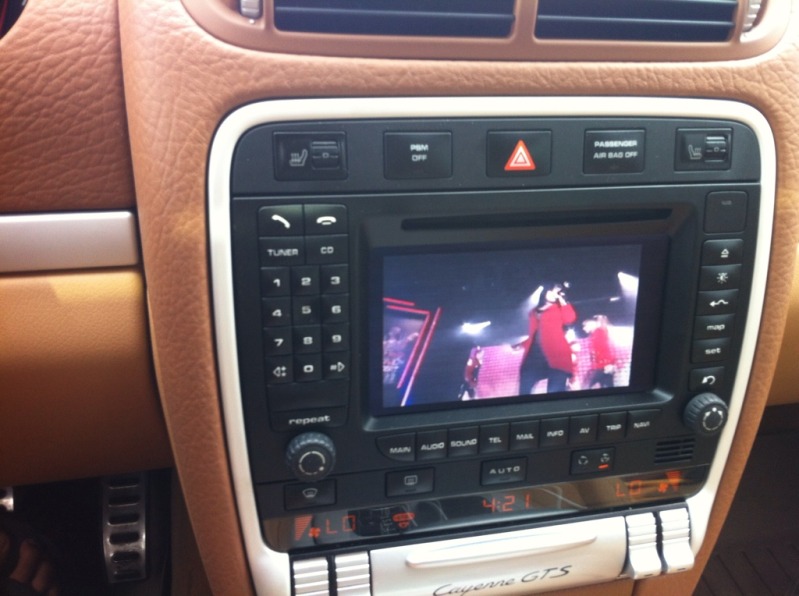
Thanks to many of you guys,
My install went smooth and everything works like it should!
PCM 2.1 is now like an aftermarket high-end unit!!
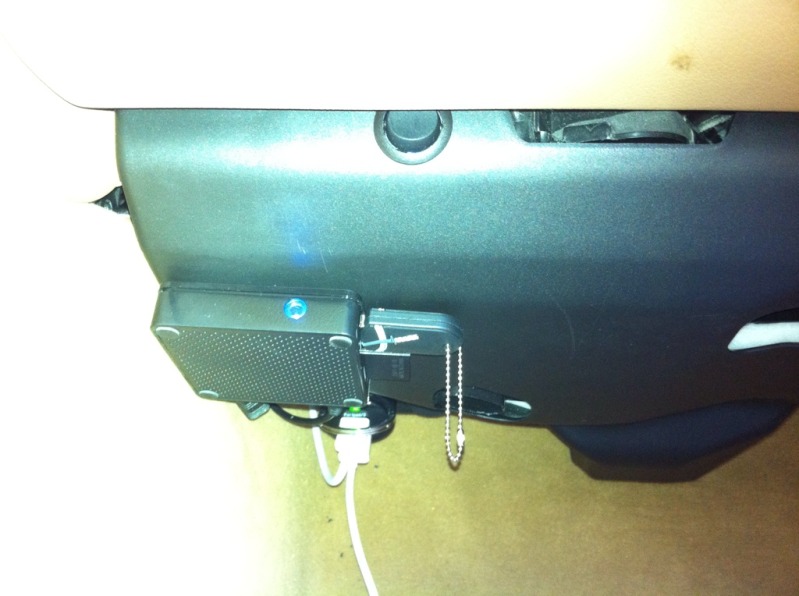
I also added Diamond Multimedia player ($17) which plays AVI or MP4 etc from your USB or SD card!! Also size is really small!!
Also, Sony back up camera for the best performance! (5 star reviews)!!
Make sure to run reverse wire from back to front so unit will turn on automatically when you switch to R gear.
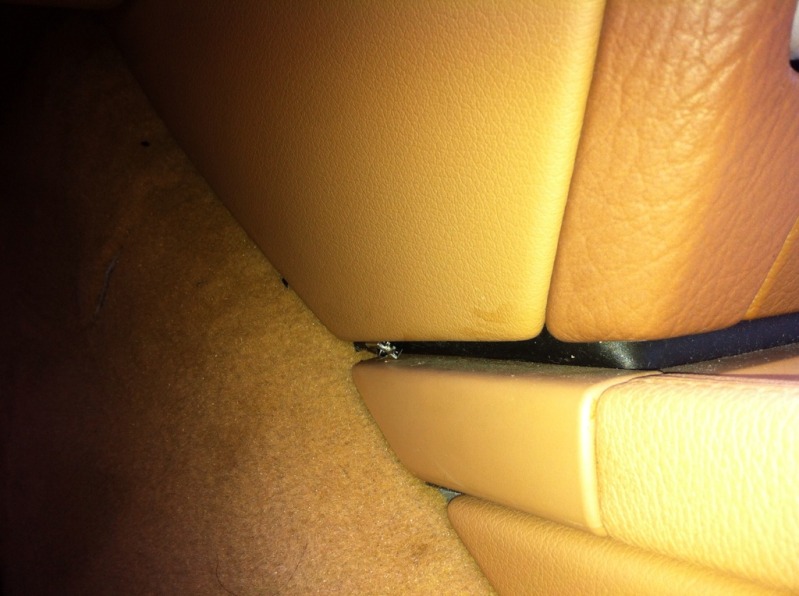
Pics:
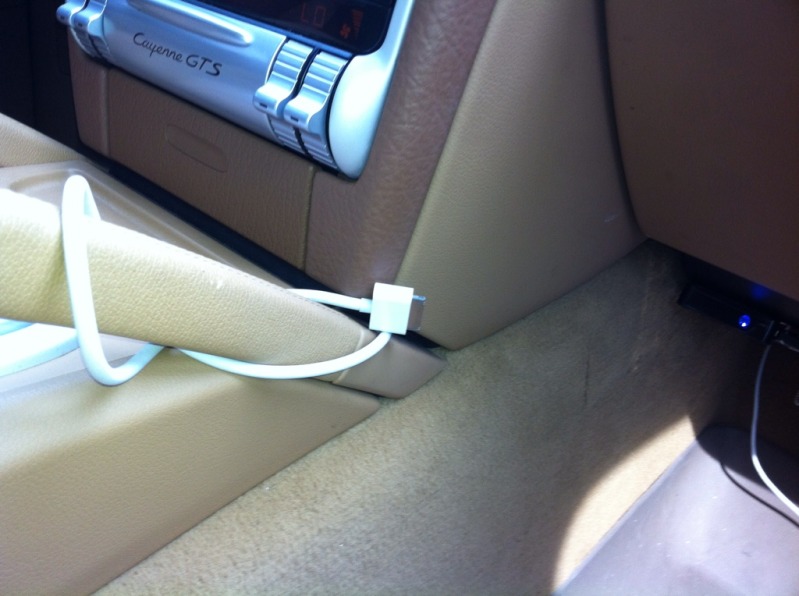
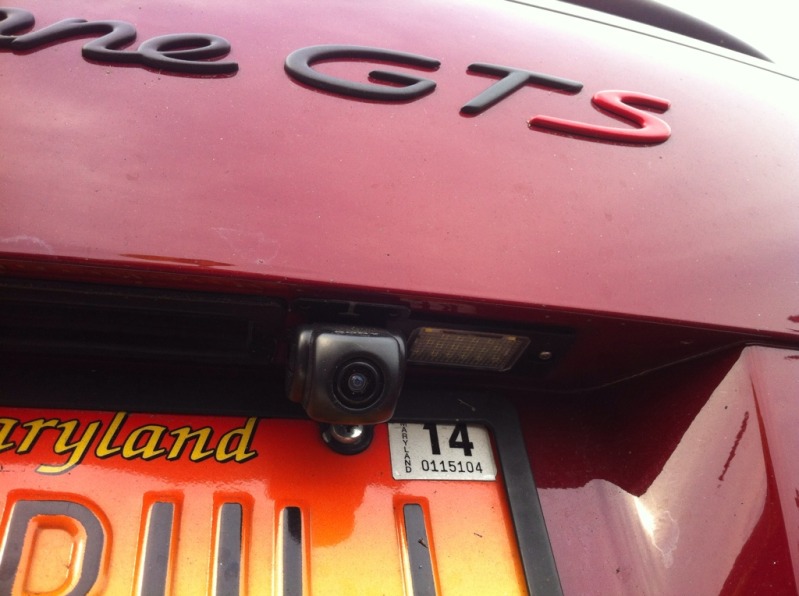
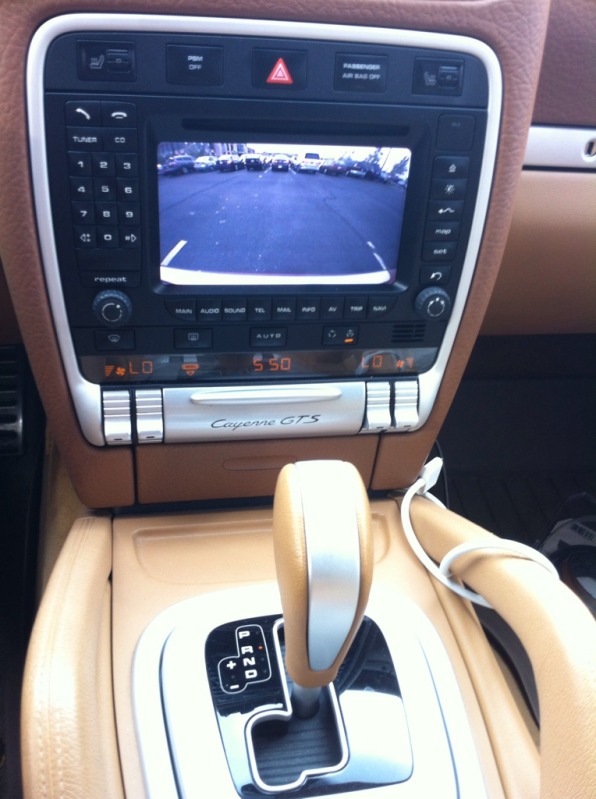
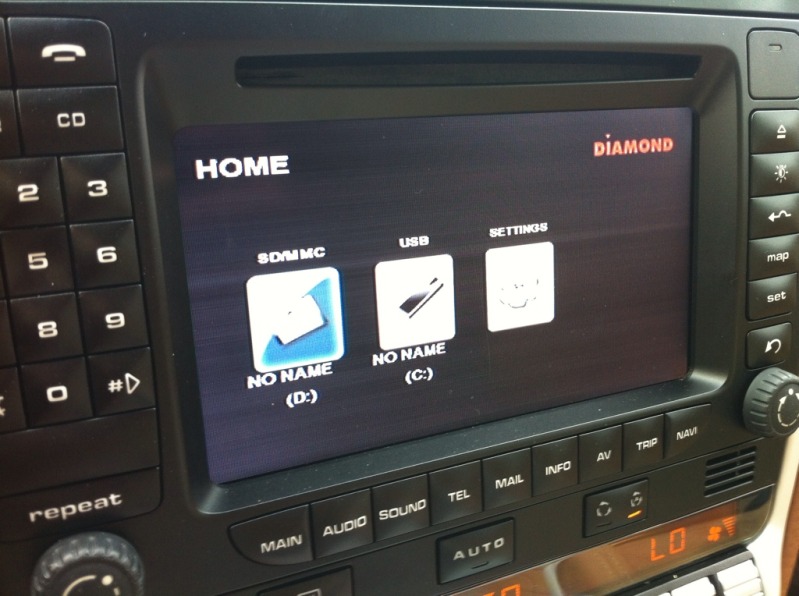
My install went smooth and everything works like it should!
PCM 2.1 is now like an aftermarket high-end unit!!
I also added Diamond Multimedia player ($17) which plays AVI or MP4 etc from your USB or SD card!! Also size is really small!!
Also, Sony back up camera for the best performance! (5 star reviews)!!
Make sure to run reverse wire from back to front so unit will turn on automatically when you switch to R gear.
Pics:
Registered User
Joined: Mar 2012
Posts: 16
From: Paris
Rep Power: 0
Tutorial to install wired camera and video module
Hi guys,
I have made a tutorial with photos (sorry it's in french because my usual forum is http://www.forum-cayenne.com/forum/i...deo-t5757.html )
You will see that I have 'stolen' some photos from this site to build it
You can download it here : Attention ! will be deleted 30 days after the last download (after that you can download it on the french cayenne forum / link above)
part 1: http://dl.free.fr/jYCpXaV0W
part 2: http://dl.free.fr/rMxBxJTtc
I'm sorry I can't attach it to this forum due to the attachment limitations.
Question for the guys on this forum who get the input video working :
How do you connect the cables, especially green cable (supposed to be connected to the parking brake ?), no one explains that !
Because I tried all the buttons on the remote, no result...
I tried to wire the green cable to a +12v, etc... not result
I posted pictures in my previous posts to expose the problem...
thank you
I have made a tutorial with photos (sorry it's in french because my usual forum is http://www.forum-cayenne.com/forum/i...deo-t5757.html )
You will see that I have 'stolen' some photos from this site to build it
You can download it here : Attention ! will be deleted 30 days after the last download (after that you can download it on the french cayenne forum / link above)
part 1: http://dl.free.fr/jYCpXaV0W
part 2: http://dl.free.fr/rMxBxJTtc
I'm sorry I can't attach it to this forum due to the attachment limitations.
Question for the guys on this forum who get the input video working :
How do you connect the cables, especially green cable (supposed to be connected to the parking brake ?), no one explains that !
Because I tried all the buttons on the remote, no result...
I tried to wire the green cable to a +12v, etc... not result
I posted pictures in my previous posts to expose the problem...
thank you