


Removal of Light and Ignition Switch on 997.2


Thread Starter
|
Registered User
Joined: Nov 2010
Posts: 87
From: NJ
Rep Power: 19

Removal of Light and Ignition Switch on 997.2
I'm looking to upgrade the lower dash and glove box trim pieces to the OEM alcantara wrapped version sold at Suncoast. I've figured out how to remove the glove box cover and the passenger side trim, but the driver side piece is turning out to be quite a challenge.
Does anyone have instructions on how to remove the light and ignition switches? I've read somewhere that the light switch comes off by pushing it down and turning it clockwise -- just tried it and doesn't seem to work. It "clicks" and activates the light switch when pushed down and turned (instead of rotating the entire switch assembly. I'm a bit loathe to twist it further in fear of damaging the switch assembly (car is only 6 weeks old). The ignition switch, I have absolutely no clue.
I would appreciate any detailed instructions from anyone who has done this mod. I know it's a fairly simple mod -- just need some gurus to chime in.
Many thanks in advance.
Does anyone have instructions on how to remove the light and ignition switches? I've read somewhere that the light switch comes off by pushing it down and turning it clockwise -- just tried it and doesn't seem to work. It "clicks" and activates the light switch when pushed down and turned (instead of rotating the entire switch assembly. I'm a bit loathe to twist it further in fear of damaging the switch assembly (car is only 6 weeks old). The ignition switch, I have absolutely no clue.
I would appreciate any detailed instructions from anyone who has done this mod. I know it's a fairly simple mod -- just need some gurus to chime in.
Many thanks in advance.
Registered User
Joined: Apr 2008
Posts: 662
From: Omaha
Rep Power: 90

I did this mod myself and posted very detailed directions. MAcarbon has directions for the lights control. For the ignition, remove the plastic trim, then twist the plastic ring around the ignition left. My directions on this forum were deleted somehow. Here they are though.
Driver's side:
1. Remove light control unit. Remove trim. See MAcarbon website.
2. Remove ignition trim.
3. Remove carpet cover below side of navigation (One torx). Then pull it out.
4. Remove 2 torx screws holding leather cover for side of nav unit. Pull the leather cover toward back of vehicle. Don't force it.
5. Remove the plastic cover under the left air conditioning vent. Pop it out from the front of the dash. It folds into the back under the seals. Carefully pull it toward the rear of the vehicle twisting it outward slightly. Don't force it.
6. Remove lower instrument surround (above steering wheel/ under gauges). Position the steering wheel as low as possible, and pull the 2 drooping tabs up. It is very tight. It shouldn't break. Just don't damage other parts of interior when forcing it out.
Now all your torx screws for the lower dash are exposed. Start unscrewing the lower dash. There's 1 behind the lower instrument surround. There are 2 under the left air vent. A few under the dash. And, there are 2 more that were hiding under the nav side cover.
7. Pull the dash out toward you. There are electrical connections under there that need to be moved so don't yank it out.
8. Remove ignition (incredibly easy). There is a ring with rivets around the ignition. Take a flat head screw driver and twist the riveted ring left.
9. Unplug the ignition by pushing tab on plug and pull the plug. Use a screw driver to push tab.
10. Disconnect other plugs. One toward the back requires pushing multiple tabs.
11. The wires have ties that hold them down on the dash. They are just held down with rubber ***** in little holes in the dash. You should be able to keep all the ties usable. Just don't strain the wires too much when pulling them from the dash.
12. Remove the dash once electrical connections are undone.
13. Switch the foot light over. There are 2 tabs inside dash that help to push the light out the bottom.
14. Switch the trim over next to the foot light. It holds one of the electrical connections.
15. Put everything back in reverse order.
Google "alcantara lower dash install" for a little bit more info if needed. My directions on this forum got deleted somehow..
Driver's side:
1. Remove light control unit. Remove trim. See MAcarbon website.
2. Remove ignition trim.
3. Remove carpet cover below side of navigation (One torx). Then pull it out.
4. Remove 2 torx screws holding leather cover for side of nav unit. Pull the leather cover toward back of vehicle. Don't force it.
5. Remove the plastic cover under the left air conditioning vent. Pop it out from the front of the dash. It folds into the back under the seals. Carefully pull it toward the rear of the vehicle twisting it outward slightly. Don't force it.
6. Remove lower instrument surround (above steering wheel/ under gauges). Position the steering wheel as low as possible, and pull the 2 drooping tabs up. It is very tight. It shouldn't break. Just don't damage other parts of interior when forcing it out.
Now all your torx screws for the lower dash are exposed. Start unscrewing the lower dash. There's 1 behind the lower instrument surround. There are 2 under the left air vent. A few under the dash. And, there are 2 more that were hiding under the nav side cover.
7. Pull the dash out toward you. There are electrical connections under there that need to be moved so don't yank it out.
8. Remove ignition (incredibly easy). There is a ring with rivets around the ignition. Take a flat head screw driver and twist the riveted ring left.
9. Unplug the ignition by pushing tab on plug and pull the plug. Use a screw driver to push tab.
10. Disconnect other plugs. One toward the back requires pushing multiple tabs.
11. The wires have ties that hold them down on the dash. They are just held down with rubber ***** in little holes in the dash. You should be able to keep all the ties usable. Just don't strain the wires too much when pulling them from the dash.
12. Remove the dash once electrical connections are undone.
13. Switch the foot light over. There are 2 tabs inside dash that help to push the light out the bottom.
14. Switch the trim over next to the foot light. It holds one of the electrical connections.
15. Put everything back in reverse order.
Google "alcantara lower dash install" for a little bit more info if needed. My directions on this forum got deleted somehow..
I'm looking to upgrade the lower dash and glove box trim pieces to the OEM alcantara wrapped version sold at Suncoast. I've figured out how to remove the glove box cover and the passenger side trim, but the driver side piece is turning out to be quite a challenge.
Does anyone have instructions on how to remove the light and ignition switches? I've read somewhere that the light switch comes off by pushing it down and turning it clockwise -- just tried it and doesn't seem to work. It "clicks" and activates the light switch when pushed down and turned (instead of rotating the entire switch assembly. I'm a bit loathe to twist it further in fear of damaging the switch assembly (car is only 6 weeks old). The ignition switch, I have absolutely no clue.
I would appreciate any detailed instructions from anyone who has done this mod. I know it's a fairly simple mod -- just need some gurus to chime in.
Many thanks in advance.
Does anyone have instructions on how to remove the light and ignition switches? I've read somewhere that the light switch comes off by pushing it down and turning it clockwise -- just tried it and doesn't seem to work. It "clicks" and activates the light switch when pushed down and turned (instead of rotating the entire switch assembly. I'm a bit loathe to twist it further in fear of damaging the switch assembly (car is only 6 weeks old). The ignition switch, I have absolutely no clue.
I would appreciate any detailed instructions from anyone who has done this mod. I know it's a fairly simple mod -- just need some gurus to chime in.
Many thanks in advance.
Last edited by OmahaGT; Feb 16, 2011 at 06:10 PM.
Registered User
Joined: Apr 2008
Posts: 662
From: Omaha
Rep Power: 90
It should be possible to remove the glove box cover without removing the whole lower dash.
1. With a small allen wrench, unscrew the dozen or so screws inside the glove box.
2. Remove the cover. Transfer over the silver glove box release.
3. Hold the silver release down, flush with cover, or it may lock shut. Replace cover.
4. Replace screws.
The trim piece to the right of the glove box just pops off.
1. With a small allen wrench, unscrew the dozen or so screws inside the glove box.
2. Remove the cover. Transfer over the silver glove box release.
3. Hold the silver release down, flush with cover, or it may lock shut. Replace cover.
4. Replace screws.
The trim piece to the right of the glove box just pops off.
Thread Starter
|
Registered User
Joined: Nov 2010
Posts: 87
From: NJ
Rep Power: 19
It should be possible to remove the glove box cover without removing the whole lower dash.
1. With a small allen wrench, unscrew the dozen or so screws inside the glove box.
2. Remove the cover. Transfer over the silver glove box release.
3. Hold the silver release down, flush with cover, or it may lock shut. Replace cover.
4. Replace screws.
The trim piece to the right of the glove box just pops off.
1. With a small allen wrench, unscrew the dozen or so screws inside the glove box.
2. Remove the cover. Transfer over the silver glove box release.
3. Hold the silver release down, flush with cover, or it may lock shut. Replace cover.
4. Replace screws.
The trim piece to the right of the glove box just pops off.
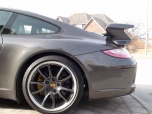
Thanks for taking the time to repost the instructions. You car looks great!

Thread
Thread Starter
Forum
Replies
Last Post
eclip5e
Automobiles For Sale
6
Jul 29, 2019 11:13 AM
vividracing
Ferrari
0
Aug 24, 2015 04:35 PM


