


What does your voltage reading say on your in-dash display?

Thread Starter
|
Registered User
Joined: Oct 2011
Posts: 859
From: Southern California
Rep Power: 50

What does your voltage reading say on your in-dash display?
I drive my S maybe 3 times a week tops. Sometime I leave it there for a week or a week and a half without driving.
My voltage reading says 14.2 when I first start it then says 14.4 after about 10 minutes of driving. Seems ok considering how much I drive. What is yours reading?
My voltage reading says 14.2 when I first start it then says 14.4 after about 10 minutes of driving. Seems ok considering how much I drive. What is yours reading?

Registered User
Joined: Sep 2012
Posts: 53
From: Western Kentucky
Rep Power: 16
Yours is within 0.1v of mine. A healthy fully charged battery will produce a 12.2v reading. You'll see this with just the ACC switch on. Power is subsequently consumed by the starter. The alternator increases its output to replace that juice. That's the 14.x you see. It will eventually drop to about 13.2 or so, which reflects about a 1v trickle charge while running.
//greg//
//greg//

Registered User
Joined: Feb 2009
Posts: 187
From: Melbourne, FL
Rep Power: 30

You have to set it to display. Change the multipurpose display in the dash so that the coolant temperature, oil temperature and oil pressure graphs are show. From here go to:
"Vehicle"
"Settings"
"Display"
"Vehicle menu"
The fourth line of the display is often blank by default. Select "4" under "Vehicle Menu" and the list of items that can be displayed in that line will pop up. Vehicle Voltage is one of the options.
"Vehicle"
"Settings"
"Display"
"Vehicle menu"
The fourth line of the display is often blank by default. Select "4" under "Vehicle Menu" and the list of items that can be displayed in that line will pop up. Vehicle Voltage is one of the options.

Registered User
Joined: Jul 2013
Posts: 30
From: UAE, DUBAI
Rep Power: 14
You have to set it to display. Change the multipurpose display in the dash so that the coolant temperature, oil temperature and oil pressure graphs are show. From here go to:
"Vehicle"
"Settings"
"Display"
"Vehicle menu"
The fourth line of the display is often blank by default. Select "4" under "Vehicle Menu" and the list of items that can be displayed in that line will pop up. Vehicle Voltage is one of the options.
"Vehicle"
"Settings"
"Display"
"Vehicle menu"
The fourth line of the display is often blank by default. Select "4" under "Vehicle Menu" and the list of items that can be displayed in that line will pop up. Vehicle Voltage is one of the options.
Registered User
Joined: Feb 2009
Posts: 187
From: Melbourne, FL
Rep Power: 30
Pic below from the manual. The set of menus and submenus you need to select are highlighted in yellow. if you have the multifunction steering wheel, you use the right scroll wheel to access a submenu and select an option. If you don't have the multifunction steering wheel, you use the lower lever to the right of the steering wheel (below the window wiper control lever)
I also took photos of my vehicle display to guide you. Pic 1 is where you start. On mine the Vehicle Voltage is displayed in line 4.
From the "Vehicle" menu in Pic1, press the right scroll wheel on the steering wheel. Or use the level if you don't have the multifunction steering wheel. I'm going to assume you do for the rest of this message.
When you press the right scroll wheel, the menu in Pic2 will appear. Use the scroll wheel to select the "Settings" option (as shown by the upper and lower red bars). Press the right scroll wheel again.
The next menu in Pic 3 is the "Settings" menu. Use the right scroll wheel to select "Display". Press the right scroll wheel to select.
The next menu in Pic 4 is the "Display" menu. Use the right scroll wheel to select "Vehicle Menu". Press the right scroll wheel to select.
Continued in next post....
I also took photos of my vehicle display to guide you. Pic 1 is where you start. On mine the Vehicle Voltage is displayed in line 4.
From the "Vehicle" menu in Pic1, press the right scroll wheel on the steering wheel. Or use the level if you don't have the multifunction steering wheel. I'm going to assume you do for the rest of this message.
When you press the right scroll wheel, the menu in Pic2 will appear. Use the scroll wheel to select the "Settings" option (as shown by the upper and lower red bars). Press the right scroll wheel again.
The next menu in Pic 3 is the "Settings" menu. Use the right scroll wheel to select "Display". Press the right scroll wheel to select.
The next menu in Pic 4 is the "Display" menu. Use the right scroll wheel to select "Vehicle Menu". Press the right scroll wheel to select.
Continued in next post....
Trending Topics
Registered User
Joined: Feb 2009
Posts: 187
From: Melbourne, FL
Rep Power: 30
Continued from post 7
The next menu in Pic 5 is the "Vehicle Menu" menu. Each of the lines 1 thru 4 can be selected and modified. I believe that Line 4 is often left empty or blank by default. Assuming you want the Vehicle Voltage to appear in line4 of the display, use the right scroll wheel to select "4". Press the right scroll wheel to select.
The next menu in Pic 6 is the "Field 4" menu. Use the scroll wheel to move through the various options that can be displayed in Line 4 until you get to "Veh.Voltage" Press the scroll wheel to select.
Now use the backspace button below the right scroll wheel to escape out of the submenus until you get to the top menu in Pic1 of Post 7. Your vehicle voltage should be now displayed in line 4.
You do have the option of modifying Lines 1-4 to several possible displayed data lines in any order you want. From the manual these are the possible display items:
“Veh. voltage”,
“Boost pressure” (this is only available on the turbo)
“Oil pressure”
“Oil temperature”
“Coolant temp.” (coolant temperature)
“Fuel range”
“Int: Trip time” (driving time to intermediate destination)
“Int: Arrival” (arrival time at intermediate destination),
“Dst: Trip time” (driving time to destination)
“Dst: Arrival” (arrival time at destination)
“Compass” (on multi-purpose display)
“Date”
“Station/Track” (current radio station/music track)
“Phone info” (network strength/network name),
“Blank line” (field remains blank)
Hope this helps.
The next menu in Pic 5 is the "Vehicle Menu" menu. Each of the lines 1 thru 4 can be selected and modified. I believe that Line 4 is often left empty or blank by default. Assuming you want the Vehicle Voltage to appear in line4 of the display, use the right scroll wheel to select "4". Press the right scroll wheel to select.
The next menu in Pic 6 is the "Field 4" menu. Use the scroll wheel to move through the various options that can be displayed in Line 4 until you get to "Veh.Voltage" Press the scroll wheel to select.
Now use the backspace button below the right scroll wheel to escape out of the submenus until you get to the top menu in Pic1 of Post 7. Your vehicle voltage should be now displayed in line 4.
You do have the option of modifying Lines 1-4 to several possible displayed data lines in any order you want. From the manual these are the possible display items:
“Veh. voltage”,
“Boost pressure” (this is only available on the turbo)
“Oil pressure”
“Oil temperature”
“Coolant temp.” (coolant temperature)
“Fuel range”
“Int: Trip time” (driving time to intermediate destination)
“Int: Arrival” (arrival time at intermediate destination),
“Dst: Trip time” (driving time to destination)
“Dst: Arrival” (arrival time at destination)
“Compass” (on multi-purpose display)
“Date”
“Station/Track” (current radio station/music track)
“Phone info” (network strength/network name),
“Blank line” (field remains blank)
Hope this helps.
Last edited by wwilliams88; Jul 31, 2013 at 06:56 AM.
Registered User
Joined: Jul 2013
Posts: 30
From: UAE, DUBAI
Rep Power: 14
Continued from post 7
The next menu in Pic 5 is the "Vehicle Menu" menu. Each of the lines 1 thru 4 can be selected and modified. I believe that Line 4 is often left empty or blank by default. Assuming you want the Vehicle Voltage to appear in line4 of the display, use the right scroll wheel to select "4". Press the right scroll wheel to select.
The next menu in Pic 6 is the "Field 4" menu. Use the scroll wheel to move through the various options that can be displayed in Line 4 until you get to "Veh.Voltage" Press the scroll wheel to select.
Now use the backspace button below the right scroll wheel to escape out of the submenus until you get to the top menu in Pic1 of Post 7. Your vehicle voltage should be now displayed in line 4.
You do have the option of modifying Lines 1-4 to several possible displayed data lines in any order you want. From the manual these are the possible display items:
“Veh. voltage”,
“Boost pressure” (this is only available on the turbo)
“Oil pressure”
“Oil temperature”
“Coolant temp.” (coolant temperature)
“Fuel range”
“Int: Trip time” (driving time to intermediate destination)
“Int: Arrival” (arrival time at intermediate destination),
“Dst: Trip time” (driving time to destination)
“Dst: Arrival” (arrival time at destination)
“Compass” (on multi-purpose display)
“Date”
“Station/Track” (current radio station/music track)
“Phone info” (network strength/network name),
“Blank line” (field remains blank)
Hope this helps.
The next menu in Pic 5 is the "Vehicle Menu" menu. Each of the lines 1 thru 4 can be selected and modified. I believe that Line 4 is often left empty or blank by default. Assuming you want the Vehicle Voltage to appear in line4 of the display, use the right scroll wheel to select "4". Press the right scroll wheel to select.
The next menu in Pic 6 is the "Field 4" menu. Use the scroll wheel to move through the various options that can be displayed in Line 4 until you get to "Veh.Voltage" Press the scroll wheel to select.
Now use the backspace button below the right scroll wheel to escape out of the submenus until you get to the top menu in Pic1 of Post 7. Your vehicle voltage should be now displayed in line 4.
You do have the option of modifying Lines 1-4 to several possible displayed data lines in any order you want. From the manual these are the possible display items:
“Veh. voltage”,
“Boost pressure” (this is only available on the turbo)
“Oil pressure”
“Oil temperature”
“Coolant temp.” (coolant temperature)
“Fuel range”
“Int: Trip time” (driving time to intermediate destination)
“Int: Arrival” (arrival time at intermediate destination),
“Dst: Trip time” (driving time to destination)
“Dst: Arrival” (arrival time at destination)
“Compass” (on multi-purpose display)
“Date”
“Station/Track” (current radio station/music track)
“Phone info” (network strength/network name),
“Blank line” (field remains blank)
Hope this helps.

Registered User
Joined: Aug 2013
Posts: 19
From: dubai
Rep Power: 0
I drive my S maybe 3 times a week tops. Sometime I leave it there for a week or a week and a half without driving.
My voltage reading says 14.2 when I first start it then says 14.4 after about 10 minutes of driving. Seems ok considering how much I drive. What is yours reading?
My voltage reading says 14.2 when I first start it then says 14.4 after about 10 minutes of driving. Seems ok considering how much I drive. What is yours reading?

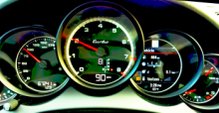
It should read over 13V. There is no hard/fast rule on battery voltage and the system is adaptive to both temperature and load. Plus it changes parameters from normal to sport mode. Anything over 13V is just fine. A fully charged battery is 12.6V - 13V means it's charging and the battery isn't heavily discharged. Higher voltages mean there is more need for charging. You do not want to see it above about 14.8V since that's over the correct charging voltage for a 12.6V battery.

Registered User
Joined: Feb 2017
Posts: 37
From: Davisburg, Michigan
Rep Power: 0
Mine goes from 13.2 (rarely) to 14.8. I have a new Porsche battery installed by the dealer. Normally after driving it seems to live in the range of 13.5 to 13.8. 2102 S. Sport mode the voltage goes up for some reason.