


Wallpaper to share * pix


Thread Starter
|
Registered User
Joined: Jul 2003
Posts: 67
From: Canada
Rep Power: 25

Wallpaper to share * pix
Hello
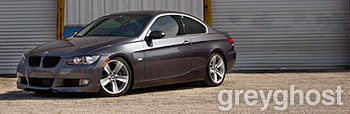
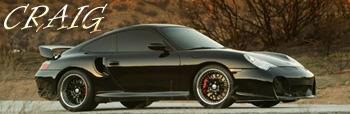
this is a wallpaper of my car~
(Wallpaper Style : copied from the dub magazine websites)
I would like to share~
and please share some of your Pcar wallpapers here
thx ~


there are 1280 x 1024 at demi911.com
thx
this is a wallpaper of my car~
(Wallpaper Style : copied from the dub magazine websites)
I would like to share~
and please share some of your Pcar wallpapers here
thx ~
there are 1280 x 1024 at demi911.com
thx


Registered User
Joined: Jul 2003
Posts: 2,803
From: Missing in action
Rep Power: 214

I have a quick question for the photoshop experts in the house: How do you cut out your car from a photograph in order to put it against a different background. I can not cut it out cleanly using the manual option and the option that distinguishes by colors does not do it effectively.
Thanks for your help,
Craig
Thanks for your help,
Craig

Registered User
Joined: Jan 2004
Posts: 6,772
From: Montreal, CA
Rep Power: 312
Originally posted by Craig
I have a quick question for the photoshop experts in the house: How do you cut out your car from a photograph in order to put it against a different background.
Thanks for your help,
Craig
I have a quick question for the photoshop experts in the house: How do you cut out your car from a photograph in order to put it against a different background.
Thanks for your help,
Craig
Try the Magnetic Lasso tool (it "sees" the contrast between colors). If the colors are too close and it picks too much or too little, you can go with a Mask.
Although more time consuming, a mask allows you to get it perfectly if you have a bit of patience.
Quick tutorial for a mask.
Make sure you are in the correct layer.
Create Mask (by clicking the little circle-in-square icon under your layer list)
Now take the paintbrush, select a soft edge and adequate size (large at first ... but it all depends ont he resolution of the pic, so I can't tell you 200 or 30 ...). Make sure the fore and backgorund are respectively black and white (you can do so by clicking the tiny icon at the left bottom of the color mini-window).
Now paint black everything you don't want to see. If you go too far, swap the colors and paint white ... it will re-appear. Do so, reducing the brush size until the result is acceptable ...
I usually cheat and use a bit of every method (magic wand, magnetic lasso and mask).
I rarely use the Extract tool because I just can't get the hang of it, always makes crappy results.

Registered User

Joined: Jul 2003
Posts: 15,575
From: Los Angeles, CA
Rep Power: 682

Trending Topics

Thread
Thread Starter
Forum
Replies
Last Post
COBB Tuning
991 Turbo
48
Jan 5, 2016 07:06 AM
vividracing
991 Turbo
23
Oct 2, 2015 02:23 PM
markski@markskituning
996 Turbo / GT2
2
Oct 1, 2015 03:44 PM
