


911 interfering with wireless internet?

Thread Starter
|
Registered User
Joined: Dec 2010
Posts: 101
From: Portland, OR
Rep Power: 20

911 interfering with wireless internet?
I have my wireless routing setup mounted in my garage to keep it out of site. The cable guy actually suggested it. It worked extremely well until I got the 911. Now, whenever my car is in the garage, I have no wireless signal, but as soon as I move it out if the garage, the signal is restored. Has anyone ever dealt with anything like this before or know what may be causing it? I am very interested to know what is going on.
Thanks.
Thanks.

Registered User
Joined: Apr 2006
Posts: 5,260
From: Austin
Rep Power: 770

I have my wireless routing setup mounted in my garage to keep it out of site. The cable guy actually suggested it. It worked extremely well until I got the 911. Now, whenever my car is in the garage, I have no wireless signal, but as soon as I move it out if the garage, the signal is restored. Has anyone ever dealt with anything like this before or know what may be causing it? I am very interested to know what is going on.
Thanks.
Thanks.
Registered User
Joined: Sep 2007
Posts: 296
From: Sunshine Coast, QLD, AU
Rep Power: 31
cannot imagine that anything in/on/from the car is transmitting at the GHz required to interfere with a WiFi signal? WikiPedia says that:

other devices use the 2.4 GHz band: microwave ovens, security cameras, ZigBee devices, Bluetooth devices and (in some countries) Amateur radio, video senders, cordless phones and baby monitors, all of which can cause significant additional interference
Maybe it is just a higher power trying to get you away from the computer and into the drivers seat!

Registered User
Joined: Sep 2004
Posts: 2,363
From: SF Bay Area, CA
Rep Power: 170
I doubt the car causes RF interference in the W-Fi spectrum region. The car (large metal box) may however affect the Wi-Fi antenna pattern. Reorient the router/antenna and see what happens.

Registered User
Joined: Dec 2009
Posts: 241
From: DE
Rep Power: 28
I have a similar issue. I have a RF wireless remote which operates the alarm system in my house. Whenever I'm in my 11-year-old Toyota Camry it works flawlessly but when I use it in the 911 it doesn't turn off the alarm about the half the time. 
I know that I could easily solve this issue by "cloning" my alarm system's wireless remote onto the Porsche's Homelink system but I don't want to do that. I'm concerned that if someone steals the car then they have the ability to turn off my house alarm system. The RF receiver on the alarm system isn't all that easy to disable so I rather play it safe than have the convenience.
P.S. I never "cloned' my garage door opening on the Porsche's Homelink system either for the same reason. Go ahead and call me paranoid, I'm fine with that.
I know that I could easily solve this issue by "cloning" my alarm system's wireless remote onto the Porsche's Homelink system but I don't want to do that. I'm concerned that if someone steals the car then they have the ability to turn off my house alarm system. The RF receiver on the alarm system isn't all that easy to disable so I rather play it safe than have the convenience.
P.S. I never "cloned' my garage door opening on the Porsche's Homelink system either for the same reason. Go ahead and call me paranoid, I'm fine with that.
Thread Starter
|
Registered User
Joined: Dec 2010
Posts: 101
From: Portland, OR
Rep Power: 20
jhbrennan:
I am pretty sure nothing else has changed. I haven't done anything with the garage, or house for that matter, other than buying the car.
leneuromancer:
I see what you are saying there, but isn't there something in the owner's manual about the car interfering with some gates and garage doors in some cases?
I am sure I could use some more driving time! Lol
Flying Cat:
I have done that test. Before I got the 911, I had a Cayenne in the garage, and it didn't cause any interference. Also, like I posted earlier, as soon as I take the car out of the garage, the wi-fi comes right back.
Thanks for the replies/ideas so far. I will keep checking into it. Hopefully I/we can figure this out without me having to move my setup.
I am pretty sure nothing else has changed. I haven't done anything with the garage, or house for that matter, other than buying the car.
leneuromancer:
I see what you are saying there, but isn't there something in the owner's manual about the car interfering with some gates and garage doors in some cases?
I am sure I could use some more driving time! Lol
Flying Cat:
I have done that test. Before I got the 911, I had a Cayenne in the garage, and it didn't cause any interference. Also, like I posted earlier, as soon as I take the car out of the garage, the wi-fi comes right back.
Thanks for the replies/ideas so far. I will keep checking into it. Hopefully I/we can figure this out without me having to move my setup.
Trending Topics
Registered User
Joined: Jun 2008
Posts: 1,342
From: USA
Rep Power: 104
jhbrennan:
I am pretty sure nothing else has changed. I haven't done anything with the garage, or house for that matter, other than buying the car.
leneuromancer:
I see what you are saying there, but isn't there something in the owner's manual about the car interfering with some gates and garage doors in some cases?
I am sure I could use some more driving time! Lol
Flying Cat:
I have done that test. Before I got the 911, I had a Cayenne in the garage, and it didn't cause any interference. Also, like I posted earlier, as soon as I take the car out of the garage, the wi-fi comes right back.
Thanks for the replies/ideas so far. I will keep checking into it. Hopefully I/we can figure this out without me having to move my setup.
I am pretty sure nothing else has changed. I haven't done anything with the garage, or house for that matter, other than buying the car.
leneuromancer:
I see what you are saying there, but isn't there something in the owner's manual about the car interfering with some gates and garage doors in some cases?
I am sure I could use some more driving time! Lol
Flying Cat:
I have done that test. Before I got the 911, I had a Cayenne in the garage, and it didn't cause any interference. Also, like I posted earlier, as soon as I take the car out of the garage, the wi-fi comes right back.
Thanks for the replies/ideas so far. I will keep checking into it. Hopefully I/we can figure this out without me having to move my setup.
Thread Starter
|
Registered User
Joined: Dec 2010
Posts: 101
From: Portland, OR
Rep Power: 20
Dadio:
It's in the garage just because when the cable guy was here installing it, he suggested mounting it out there to keep it out of sight. No really significant reason.
Hmmmm, I wonder about the alarm. I'll check on that. Although, when the Cayenne was in there, it was always armed as well.
It's in the garage just because when the cable guy was here installing it, he suggested mounting it out there to keep it out of sight. No really significant reason.
Hmmmm, I wonder about the alarm. I'll check on that. Although, when the Cayenne was in there, it was always armed as well.

Registered User
Joined: Oct 2009
Posts: 364
From: Florida
Rep Power: 46
I know it's off topic, but it baffles me, too, why the cable guy recommended that you have the wireless WAP installed in the garage. If your garage is as insulated as mine, chances are you're losing 50% of its antenna coverage, if not more. It'd be better to install it in a central area, and as high up as possible.
Registered User
Joined: Apr 2006
Posts: 5,260
From: Austin
Rep Power: 770
Dadio:
It's in the garage just because when the cable guy was here installing it, he suggested mounting it out there to keep it out of sight. No really significant reason.
Hmmmm, I wonder about the alarm. I'll check on that. Although, when the Cayenne was in there, it was always armed as well.
It's in the garage just because when the cable guy was here installing it, he suggested mounting it out there to keep it out of sight. No really significant reason.
Hmmmm, I wonder about the alarm. I'll check on that. Although, when the Cayenne was in there, it was always armed as well.
Thread Starter
|
Registered User
Joined: Dec 2010
Posts: 101
From: Portland, OR
Rep Power: 20
Without giving away some security secret regarding wireless routers, could you tell me what the reason is for it being in the garage ? I'm scratching my head on that one. You can PM me if need be but others might be as interested in the answer as I am. As for the car causing interference is the car alarm armed when it's in the garage causing the problem ? I'm wondering if the motion detector in the car might emit a frequency that could interfer with the router. Sounds like a long shot to me though.
Registered User
Joined: Sep 2004
Posts: 2,363
From: SF Bay Area, CA
Rep Power: 170
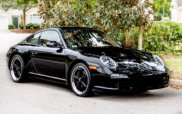
Well, it looks like it is directly related to the alarm. I did a simple experiment, which actually ended up being pretty cool and yielding some interesting results. I sat in my living room with my iPhone in one hand and my key fob in the other. I unlocked the car from my living room, and I could literally watch the 3G icon on the iPhone switch to the wireless icon. Then, when I locked it, the wireless icon switched back to the 3G icon. There was something pretty satisfying about hitting the button and watching the icon change almost immediately.
P.S. - I suspect your cable guy suggested mounting your Wi-Fi PoP in the garage to simplify the installation and make his life easier.
Last edited by adias; Jan 28, 2011 at 10:36 PM.

Thread
Thread Starter
Forum
Replies
Last Post
Feelgood MD
997
65
Mar 24, 2016 09:35 AM
AJUSA.com
991 Vendor Classifieds
0
Sep 9, 2015 12:47 PM
