


997S and mp3

Thread Starter
|
Registered User
Joined: Jul 2003
Posts: 879
From: California
Rep Power: 84


997S and mp3
Need your help.
The CD changer is suppose to be able to play MP3 CD, now the stupid question....
How can I convert the songs I purchased thru iTunes to mp3 format.
The CD changer is suppose to be able to play MP3 CD, now the stupid question....
How can I convert the songs I purchased thru iTunes to mp3 format.

Registered User
Joined: Sep 2005
Posts: 318
From: Virginia
Rep Power: 34
a few steps must be done before you can convert songs to MP3:
1. Itunes-Preference-Advanced-Burning-Audio CD-OK
2. Itunes-Preference-Advanced-Importing-MP3 Encoder-OK
3. Create two new playlist (CD Playlist, Mp3 Playlist etc...)
Now we are ready to import
4. Drag songs from Library that you want to format to CD Playlist
5. highlight CD Playlist and insert CD-R and burn disc
6. once done a new CD Playlist will appear( from the CD-R drive)
7. highlight songs from the new CD Playlist and convert to MP3( mouse Right click)
8. when finish go to Library and look for MPEG files
under Kind on your Itunes
9. dray MPEG songs to MP3 Playlist
10. insert new CD-R and burn songs frm MP3 Playlist.
I hope my direction is not too confusing. Just remember to have a few CD-R available.
1. Itunes-Preference-Advanced-Burning-Audio CD-OK
2. Itunes-Preference-Advanced-Importing-MP3 Encoder-OK
3. Create two new playlist (CD Playlist, Mp3 Playlist etc...)
Now we are ready to import
4. Drag songs from Library that you want to format to CD Playlist
5. highlight CD Playlist and insert CD-R and burn disc
6. once done a new CD Playlist will appear( from the CD-R drive)
7. highlight songs from the new CD Playlist and convert to MP3( mouse Right click)
8. when finish go to Library and look for MPEG files
under Kind on your Itunes
9. dray MPEG songs to MP3 Playlist
10. insert new CD-R and burn songs frm MP3 Playlist.
I hope my direction is not too confusing. Just remember to have a few CD-R available.

Thread Starter
|
Registered User
Joined: Jul 2003
Posts: 879
From: California
Rep Power: 84
Originally Posted by gxlex
a few steps must be done before you can convert songs to MP3:
1. Itunes-Preference-Advanced-Burning-Audio CD-OK
2. Itunes-Preference-Advanced-Importing-MP3 Encoder-OK
3. Create two new playlist (CD Playlist, Mp3 Playlist etc...)
Now we are ready to import
4. Drag songs from Library that you want to format to CD Playlist
5. highlight CD Playlist and insert CD-R and burn disc
6. once done a new CD Playlist will appear( from the CD-R drive)
7. highlight songs from the new CD Playlist and convert to MP3( mouse Right click)
8. when finish go to Library and look for MPEG files
under Kind on your Itunes
9. dray MPEG songs to MP3 Playlist
10. insert new CD-R and burn songs frm MP3 Playlist.
I hope my direction is not too confusing. Just remember to have a few CD-R available.
1. Itunes-Preference-Advanced-Burning-Audio CD-OK
2. Itunes-Preference-Advanced-Importing-MP3 Encoder-OK
3. Create two new playlist (CD Playlist, Mp3 Playlist etc...)
Now we are ready to import
4. Drag songs from Library that you want to format to CD Playlist
5. highlight CD Playlist and insert CD-R and burn disc
6. once done a new CD Playlist will appear( from the CD-R drive)
7. highlight songs from the new CD Playlist and convert to MP3( mouse Right click)
8. when finish go to Library and look for MPEG files
under Kind on your Itunes
9. dray MPEG songs to MP3 Playlist
10. insert new CD-R and burn songs frm MP3 Playlist.
I hope my direction is not too confusing. Just remember to have a few CD-R available.
Registered User
Joined: Apr 2004
Posts: 206
From: Singapore
Rep Power: 31
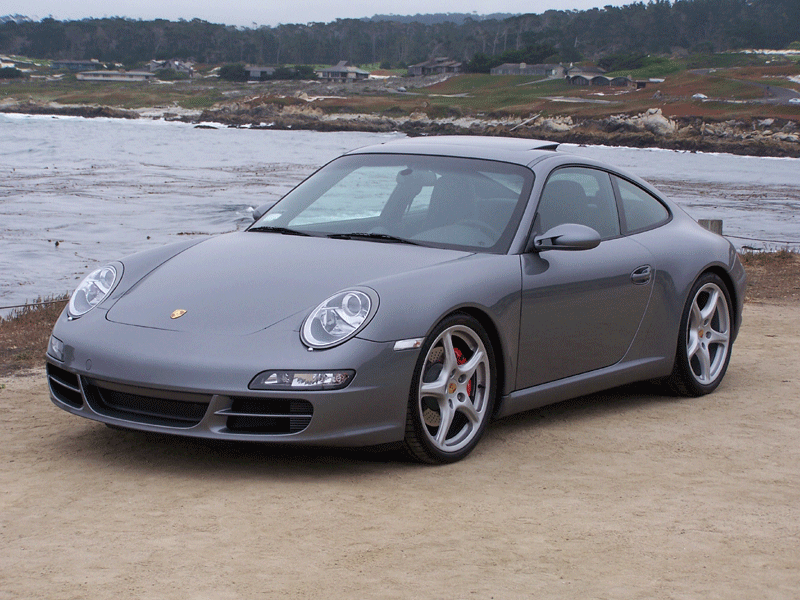
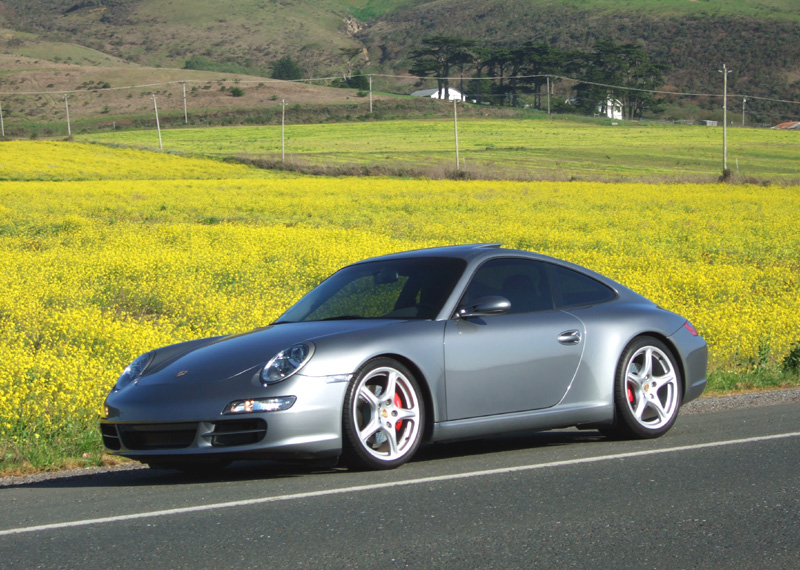
Sorry to go OT here but synergy - can you post a few more pics of your car. It looks amazing!
Lowered, tinted, what else?
Lowered, tinted, what else?
Trending Topics
Registered User
Joined: Jun 2004
Posts: 857
From: San Jose, CA
Rep Power: 64
Originally Posted by sneaky
Sorry to go OT here but synergy - can you post a few more pics of your car. It looks amazing!
Lowered, tinted, what else?
Lowered, tinted, what else?
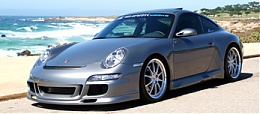
Here are a few pics...

Thread
Thread Starter
Forum
Replies
Last Post
greekc6
Automotive Parts & Accessories For Sale/Wanted
12
Sep 16, 2015 02:49 PM