When you click on links to various merchants on this site and make a purchase, this can result in this site earning a commission. Affiliate programs and affiliations include, but are not limited to, the eBay Partner Network.
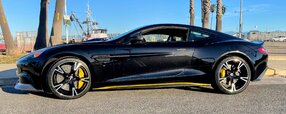
After a couple of multi-day road trips in the Vanquish this year I decided I really wanted a proper navigation system. The maps installed in the Garmin unit at the factory were dated 2013 (even though my car is a 2016, built in late 2015. The updated "North America" SD card I got from Garmin worked great, but only in the USA -- not much help when almost all of my driving is in Canada. I guess the AML SD maps include a firmware update to deal with larger map files or something. I downloaded some "Open Street Maps" onto an SD card; they were okay, but for some reason could never give me directions home.
I contacted Aston Installations in the UK. They're now offering the official upgrade to AMI3, but without the navigation component (AML holds the license). I liked the idea of following the official upgrade path, but (a) I felt the price was higher than I wanted to pay just to get Google Maps, and (b) the installation looked like a pretty challenging DIY (I found the Aston manuals for the AMI3 upgrade online). The AMI3 upgrade offers improvements in the UI and responsiveness, but again, the value for money just didn't add up for me.
So I ended up ordering the IDCORE unit from Unique Auto Developments in the UK. They claimed it was DIY-friendly and it uses the car's controls to operate it with no separate joystick or anything. And it leaves the factory system intact and still usable. Ordering online was easy, it shipped within a couple of days, and arrived in less than a week from the order date. So far so good. Plus, it was roughly 1/3 the cost of the AMI3 upgrade.
Everything was well packaged and in addition to the electronics module, cables and a microphone were also in the box. Instructions were very basic, outlining how to install it in a coupe. I have a Volante, and it's not at all like the coupe in terms of finding a path for the wiring from the trunk into the cabin. In fact, the Garmin unit is in a completely different location in the trunk.
In the Volante, the Garmin unit sits in a well on the left hand side of the trunk, covered by a rigid carpeted piece. I was able to trace the Garmin harness that passes through a rubber grommet in the bottom of that well, through the wheel well behind the arch liner, and into another rubber grommet that enters the roof stowage compartment, not far from the top left corner of the left rear seat. It continues down behind the left rear seat.
Entering the roof storage compartment
Before running the wires I connected everything and tried it out. All plug and play, no splicing wires or pinning connectors. It worked as described and Car Play showed up on the standard screen. The resolution is fine -- it looked pretty good. Both wired and wireless worked as claimed. Onward ho.
I committed to the install and started measuring things. The first issue is that the supplied cables weren't going to be long enough. There are 3 cables: USB (for a wired/charging connection), an AUX cable for sound output, and a microphone cable. Both the AUX and microphone cables were too short for the path that I was planning to take, so I got extensions for both of them. Next step was dismantling the trunk. It's like a puzzle, removing one piece so you can remove the next, and so on. After that, pulling the wires through the grommets was pretty easy (silicone grease helped). I wrapped and zip-tied the 3 cables to the Garmin harness.
Because the carpeted panel that covers the Garmin is fitted with foam spacers, I couldn't just lay the IDCORE unit on top or beside it. There was a convenient bolt on the inside of the rear fender, and I used it to attach a bracket I fashioned from some sheet aluminum I had on hand. That all gets hidden behind the side carpet piece when it goes back together.
Improvised bracket using existing bolt to secure unit behind carpet.
Before putting everything back together, I tried the wireless Car Play again. It didn't work. Unique Auto Developments warns that the carbon fiber construction of the Vanquish can interfere with wireless signals. If I opened the trunk lid, the wireless worked great, but no dice with the trunk closed. I solved this by running out to Best Buy and picking up a generic wireless Car Play dongle to attach to the IDCORE USB cable inside the car. Now the wireless was working again. That is, until I decided it could live out of sight under the back seat cushion. Nope, that didn't work either. The Vanquish is like some kind of Faraday cage. At the moment, I've got the wireless dongle sitting on the floor behind the driver's seat. I haven't done anything special about routing the wiring inside the cabin yet -- that's a winter project.
The first time I used Google Maps while driving I was shocked by the poor quality of the guidance voice. It was "fuzzy" and hard to understand. I tried both wired and wireless with the same result -- really poor audio. Apple Maps was much clearer, and even Waze had better sound quality than Google. If the built-in Garmin voice is 10/10, Google is a 5 at best, Apple Maps is a 9, and Waze is 7.5 or 8. Might be different in your part of the world.
All in all I'm happy with the outcome. It wasn't especially difficult, but there is a fair bit of disassembly. The product is pretty easy to use and I like using the car controls to operate it. Unique Auto Developments delivered promptly and has been pretty responsive to my questions. It really does help bring the in-car technology up to date.
I installed an ID Core unit from Unique Auto in my 2015 Vanquish Coupe a couple months ago. It cost about $1,000 delivered to the USA. The installation in a Coupe is much easier than in a Volante and I don’t experience any wireless CarPlay issues.
I’ve purchased a Vanquish coupe and looking to do this very upgrade! What did it cost you? I can’t see pricing on the website.
Any chance you have the install guide you can share assuming it has both coupe and Volante instructions?
Regarding the wireless issue, I reckon you could get a longer antenna to run into the cabin to replace the one included.
The IDCORE website doesn't list prices -- they don't sell direct to consumers. I found three distributors in the UK, and purchased from "Unique Auto Developments". They list the price as 800 GBP on their website. I should also mention that the kit for the last generation of dash (haptic controls) is the only version you can buy directly. All the other IDCORE models are only available from an Aston Martin dealer.
The install guide was on paper, and I'm without a scanner at the moment. They only included instructions for coupe installation. I tried to attach the AML fitment instructions for the AMI3 upgrade (which are similar) but this site didn't want to upload them -- you can find them by googling or message me and I'll email them to you. There are two manuals -- a general one that covers multiple cars, and a Vanquish specific one that covers both coupe and convertible. I should point out that they're even less helpful than the Workshop manual.
I thought about an extension for the wireless antenna, but my brief Google research suggests that it doesn't always get you a reliable connection. Not having any experience with it, I went for the simple solution of a wireless dongle inside the car. It wasn't that expensive, and it works.
In case you haven’t figured it out yet, adjusting the Volume and EQ settings can have major improvements to the sound quality.
Thanks. I did fool around with those, as well as AUX gain. My old ears didn't detect much of an improvement, if any.
The fact that Apple Maps sounds very good, Waze sounds okay, but Google Maps sounds fuzzy suggests to me that it's related to the app. I could be wrong, and I do need to spend more time fiddling with it.
I’ve found that my unit sounds better by reducing the IDcore’s initial Volume level from 40 to 25 and reducing the Aux gain from 2 to 0 on the car. Also, Unique Auto recommends that the ID Core’s Loudness setting should be OFF. Ironically, I have chosen to stream audio through my car’s Bluetooth connection (instead of Aux) since this sounds much better to me. I lose Navigation verbal prompts but the steering wheel track buttons now work for CarPlay/Android Auto music streaming.
The IDCORE website doesn't list prices -- they don't sell direct to consumers. I found three distributors in the UK, and purchased from "Unique Auto Developments". They list the price as 800 GBP on their website. I should also mention that the kit for the last generation of dash (haptic controls) is the only version you can buy directly. All the other IDCORE models are only available from an Aston Martin dealer.
The install guide was on paper, and I'm without a scanner at the moment. They only included instructions for coupe installation. I tried to attach the AML fitment instructions for the AMI3 upgrade (which are similar) but this site didn't want to upload them -- you can find them by googling or message me and I'll email them to you. There are two manuals -- a general one that covers multiple cars, and a Vanquish specific one that covers both coupe and convertible. I should point out that they're even less helpful than the Workshop manual.
I thought about an extension for the wireless antenna, but my brief Google research suggests that it doesn't always get you a reliable connection. Not having any experience with it, I went for the simple solution of a wireless dongle inside the car. It wasn't that expensive, and it works.
no worries thank you mate for the insight! Even if you snap a photo of the guide would be awesome :-) I did find the AMI three instructions so that’s helpful too