When you click on links to various merchants on this site and make a purchase, this can result in this site earning a commission. Affiliate programs and affiliations include, but are not limited to, the eBay Partner Network.
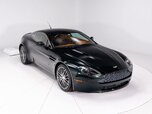
Recently purchased a 2007 V8 Vantage. Wonderful car! Am looking at upgrading the media system to allow music streaming.
Many owners have done the upgrade with Aston Installations. Might be my first choice, but the nearest installer is 600 miles away.
I’m looking at the OEM upgrade. Part 7G43-37-10991 is listed for 06-07MY and adds Bluetooth music streaming. It must be installed by the dealer, as it requires a software update. It’s mentioned on here is a separate thread from 2015. I’m hoping to get so info that’s more current.
Has anyone had their dealer install this in a MY 07 recently, say last 5 years?
Does it work by pairing the phone for phone calls? Or is a second pairing needed for Bluetooth music streaming?
Recently purchased a 2007 V8 Vantage. Wonderful car! Am looking at upgrading the media system to allow music streaming.
Many owners have done the upgrade with Aston Installations. Might be my first choice, but the nearest installer is 600 miles away.
I’m looking at the OEM upgrade. Part 7G43-37-10991 is listed for 06-07MY and adds Bluetooth music streaming. It must be installed by the dealer, as it requires a software update. It’s mentioned on here is a separate thread from 2015. I’m hoping to get so info that’s more current.
Has anyone had their dealer install this in a MY 07 recently, say last 5 years?
Does it work by pairing the phone for phone calls? Or is a second pairing needed for Bluetooth music streaming?
How do you put in Bluetooth mode?
Thanks. Any help appreciated.
David
while I have the factory Bluetooth in my 2009 vantage. I have three different devices connected for phone use (one at a time) along with a Bovee 1000 and also an Amazon Alexa Auto device.I can stream music from multiple sources and connect my phone for voice.
the Alexa allows me to control music via voice command. I use my phone for navigation (the native Nav System is Awful) and the Alexa allows voice command for those functions as well...for a 2009 vintage Vantage, it all works great. some folks have added an apple play or Android Auto, but you need to use the screen
hopefully your add on will function like the factory set up
I had that same problem when I bought my 2009 Vantage. No Bluetooth. My 2006 DB9 had a bovee bluetooth transceiver that worked great. The bovee little box was plugged into some sort of mixer in my glove compartment, and it even had RCA jacks on it. it would play through the CD player and I could stream music via Bluetooth in the DB9.
The 2008 vantage did not have Bluetooth but it did have a USB port and I guess some sort of an apple port.
Somebody on this form said I needed to buy a unit from a company called invery. the unit looks just like the bovee and it plugs into those ports in the center ouncil. It didn't work at first because I didn't realize I needed to also plug in the USB for the power. That unit works excellent in my 2009 vantage and it even shows the name of the song on the CD player that is playing through the system.
One other thing, why did you buy a 2007 vantage, with 40 less horsepower than the 2009?
I had the DB9 with 450 horsepower. I couldn't drive a car with 380HP after the 450HP DB9 so I bought the 2009.
Actually I feel that it's just as quick as a DB9 because I believe the vantage is much lighter.
Sorry that is just my take. Good luck with the Bluetooth you'll end up with a nice system, they're out there.
I installed the 4G43-37-11003 ipod kit bluetooth module, bracket, and MOST fiber from the 7G43-37-10991 bluetooth kit in my 2007 DB9. it's not the easiest install, but it's doable. When I was done I took it to the dealer to have the car coded and they couldn't do it saying their AMDS could not talk to the ICM to flash it and sent me on my way with a $0 invoice. After about a year with no infotainment at all I finally found an AMDS for sale and set out to figure out how to make it work. I found where AMDS stored the car config on the hard drive and reverse engineered it using some other supporting files I found in the system. After writing the new car config back to the car, the ICM was flashed and everything woke up and the infotainment was working again. Bluetooth streaming and ipod both working as if from the factory. Later I added a Sirius module from a 2008 vantage with a lifetime subscription and SDARS antenna. Probably the only Linn DB9 with satellite radio installed this way. Also works perfectly as if from the factory.
The Aston installation guide for the bluetooth and ipod kits specifically say to obtain an updated car config before attempting to flash the modules. Apparently the dealer didn't even try. Even if you could get a dealer to do it the labor cost for an 06/07 car would be as much or more than the cost of the kit
GA_DB9, that pretty awesome work. When you say no Infotainment, does that mean the radio was dead too? Did the phone work?
It hadn’t occurred to be that might need to be prepared to write code to program the car. Which language is it in?
That's right, if you do the installation without a plan in place to get the car coded and flashed the entire infotainment will be offline. No nav, radio, CD. There's no coding required, exactly. It's the car config that has to be edited. It's a pretty standard Ford VBF format. The hard part is working out what bytes to change and the checksum calculation. Once that's done AMDS can upload the file back to the car and the modules can be flashed. As far as I know, a genuine AMDS is the only tool that can do this.